How to Use BigModel API with Python
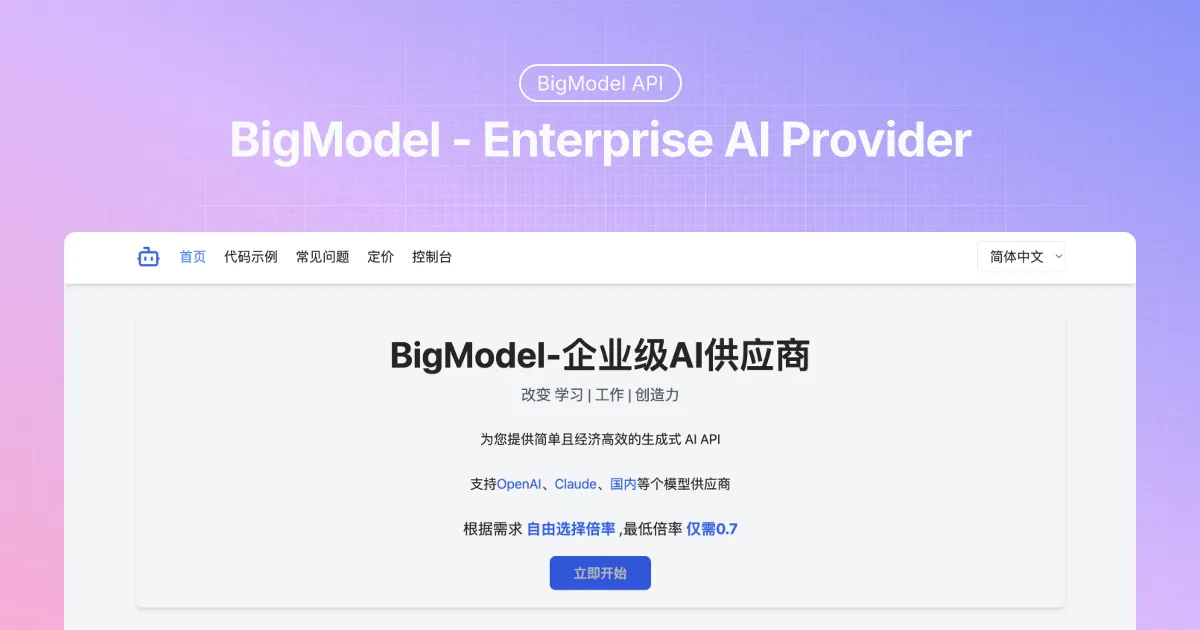
BigModel is the AI API aggregation platform provided by bigmodel.org. It exposes an OpenAI-compatible gateway at https://api.bigmodel.org/v1, so you can call chat models from Python with either the official openai SDK (pointed at the BigModel base URL) or plain requests. This guide walks through the whole flow: get an API key, list the models your account can use, send a first chat completion, switch to streaming output, and handle the errors you are most likely to meet.
Before you start
You need:
- A BigModel account. Sign in at bigmodel.org and open the dashboard or developer console.
- An API key created from the API keys section of the console. Treat it like a password with a billing connection: store it in an environment variable, not in your source code.
- Python 3.7 or newer, plus the
requestspackage. If you prefer the SDK path, install theopenaipackage as well.
Step 1: Create an API key
Sign in to the BigModel console, open the API keys (tokens or credentials) section, and create a new key. Copy the value and put it into your local environment:
export BIGMODEL_API_KEY="replace-with-your-real-secret"
Or keep it in a .env file that is added to .gitignore.
Step 2: List the models your account can use
BigModel's gateway uses the /v1 path and Bearer-token authentication. The model list request confirms your key, the gateway address and the header in one call:
import os
import requests

api_key = os.environ["BIGMODEL_API_KEY"]
resp = requests.get(
    "https://api.bigmodel.org/v1/models",
    headers={"Authorization": f"Bearer {api_key}"},
    timeout=30,
)
resp.raise_for_status()
for model in resp.json().get("data", []):
    print(model.get("id"))
Use a model ID returned by this response in every later request. Do not hard-code a model name from an old tutorial: availability can change with your account and the current service configuration.
Step 3: Send your first chat completion with requests
import os
import requests

api_key = os.environ["BIGMODEL_API_KEY"]
resp = requests.post(
    "https://api.bigmodel.org/v1/chat/completions",
    headers={
        "Authorization": f"Bearer {api_key}",
        "Content-Type": "application/json",
    },
    json={
        "model": "MODEL_ID_FROM_V1_MODELS",
        "messages": [{"role": "user", "content": "Hello! Tell me about yourself."}],
        "stream": False,
    },
    timeout=60,
)
resp.raise_for_status()
data = resp.json()
print(data["choices"][0]["message"]["content"])
Reading the response
In the non-streaming response, the generated text is at choices[0].message.content. The rest of the payload contains usage and model information you can log for accounting.
Use the OpenAI Python SDK
Because the gateway is OpenAI-compatible, the openai SDK works with two changes: point base_url at the BigModel endpoint and pass your BigModel key.
import os
from openai import OpenAI

client = OpenAI(
    api_key=os.environ["BIGMODEL_API_KEY"],
    base_url="https://api.bigmodel.org/v1",
)

response = client.chat.completions.create(
    model="MODEL_ID_FROM_V1_MODELS",
    messages=[{"role": "user", "content": "Hello!"}],
)
print(response.choices[0].message.content)
Streaming output
When stream is true, the API returns the answer piece by piece as it is generated instead of waiting for the full response. Consume it incrementally and print each piece as it arrives.
Streaming with the OpenAI SDK
import os
from openai import OpenAI

client = OpenAI(
    api_key=os.environ["BIGMODEL_API_KEY"],
    base_url="https://api.bigmodel.org/v1",
)

stream = client.chat.completions.create(
    model="MODEL_ID_FROM_V1_MODELS",
    messages=[{"role": "user", "content": "Write a short haiku about Python."}],
    stream=True,
)

for chunk in stream:
    delta = chunk.choices[0].delta.content if chunk.choices else None
    if delta:
        print(delta, end="", flush=True)
Streaming with requests
With plain requests, keep the connection open and read the Server-Sent Events data lines until the [DONE] marker arrives:
import json
import os
import requests

api_key = os.environ["BIGMODEL_API_KEY"]

with requests.post(
    "https://api.bigmodel.org/v1/chat/completions",
    headers={
        "Authorization": f"Bearer {api_key}",
        "Content-Type": "application/json",
    },
    json={
        "model": "MODEL_ID_FROM_V1_MODELS",
        "messages": [{"role": "user", "content": "Write a short haiku about Python."}],
        "stream": True,
    },
    stream=True,
    timeout=120,
) as resp:
    resp.raise_for_status()
    for line in resp.iter_lines(decode_unicode=True):
        if not line or not line.startswith("data:"):
            continue
        payload = line[len("data:"):].strip()
        if payload == "[DONE]":
            break
        try:
            chunk = json.loads(payload)
        except json.JSONDecodeError:
            continue
        delta = chunk.get("choices", [{}])[0].get("delta", {}).get("content")
        if delta:
            print(delta, end="", flush=True)
Error handling
Handle HTTP status codes and network failures explicitly instead of letting them surface as unreadable tracebacks.
Authentication errors (401)
A 401 means the request was not authenticated. Check that the key is valid, that the header is exactly Authorization: Bearer <your-api-key>, and that you are calling the /v1 gateway address.
Model and endpoint errors (400 / 404)
Re-fetch /v1/models and use an ID that is actually present in the response. Verify the request body contains a valid model and a non-empty messages array.
Rate limits, quota and server errors (429 / 5xx)
Retry with exponential backoff. The BigModel console provides usage logs and wallet information you can use to check token consumption and balance.
Network and timeout errors
requests raises ConnectionError and Timeout for transport problems. Always pass an explicit timeout and retry transient failures with a small backoff.
import os
import time
import requests

api_key = os.environ["BIGMODEL_API_KEY"]

def chat_with_retry(model_id, messages, max_retries=3):
    for attempt in range(max_retries):
        try:
            resp = requests.post(
                "https://api.bigmodel.org/v1/chat/completions",
                headers={"Authorization": f"Bearer {api_key}", "Content-Type": "application/json"},
                json={"model": model_id, "messages": messages, "stream": False},
                timeout=60,
            )
            if resp.status_code == 429 or resp.status_code >= 500:
                raise requests.HTTPError(f"retryable status {resp.status_code}")
            resp.raise_for_status()
            return resp.json()
        except (requests.ConnectionError, requests.Timeout, requests.HTTPError):
            if attempt == max_retries - 1:
                raise
            time.sleep(2 ** attempt)

data = chat_with_retry(
    "MODEL_ID_FROM_V1_MODELS",
    [{"role": "user", "content": "Hello!"}],
)
print(data["choices"][0]["message"]["content"])
Best practices
- Keep the API key out of source code; read it from an environment variable or secret manager, server-side only.
- Always resolve the model ID from
/v1/modelsbefore sending chat requests. - Set an explicit
timeouton every request and retry transient failures with backoff. - Use
stream=Truefor long answers so users see output as it is generated. - Monitor the console usage logs to review token consumption and catch unexpected traffic early.
Conclusion
Calling BigModel from Python is a short path: create an API key, list the models from /v1/models, send a chat completion to /v1/chat/completions with requests or the openai SDK, and enable streaming when you need incremental output. With explicit error handling and the checklist above, the integration stays reliable as models and routes change.